Kids
Visual timers and time blindness
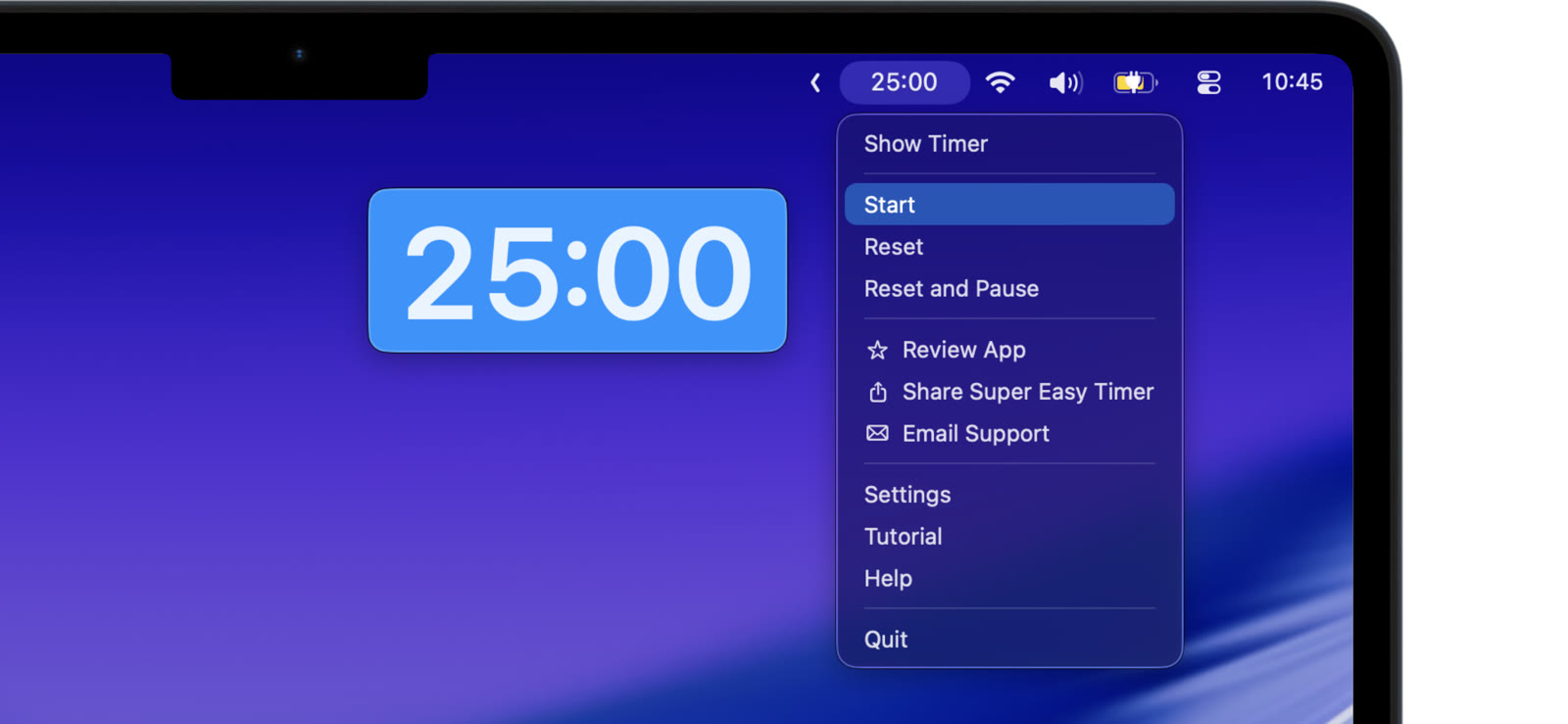
Time blindness is not laziness. For a lot of people, especially with ADHD, time simply does not register while it passes. Two hours feels like twenty minutes. The fix is not trying harder to feel time. It is making time visible.
Put the countdown in your line of sight
A timer on your phone, face down on the desk, does nothing. A countdown pinned above your windows is in your peripheral vision every time you glance at the screen. You do not have to remember to check it. It is just there, shrinking.
Make the number impossible to lose
Keep the timer small in a corner while you work, or in the menu bar next to the clock. It stays on top of full screen apps too, so hyperfocus in one app does not hide the time.
Ends that actually interrupt
A single quiet ding is easy to miss. Set the alarm to repeat and the timer to flash until you respond. And when you blow past the end anyway, count up after zero shows exactly how far over you went — a number, not a guilt trip.
Lower the cost of starting
Starting a timer has to be easier than not starting one. Type “20 min” and press Return. That is the whole ritual. No app to configure, no session to name.
Try the free web timer right now. The Mac app is what keeps the countdown on top of everything else.
You cannot feel time. You can see it. Put it on screen and let your eyes do the job.