Workouts
A simple Tabata timer for Mac
Tabata is simple on paper: work hard, rest, repeat. Keeping count while you are out of breath is the hard part. Super Easy Timer counts the rounds so you do not have to.
Type “tabata” to start
Type “tabata” in the timer field and the app switches to Tabata mode. Work intervals, rest intervals, and rounds run as a cycle. Your job is the workout, not the clock.
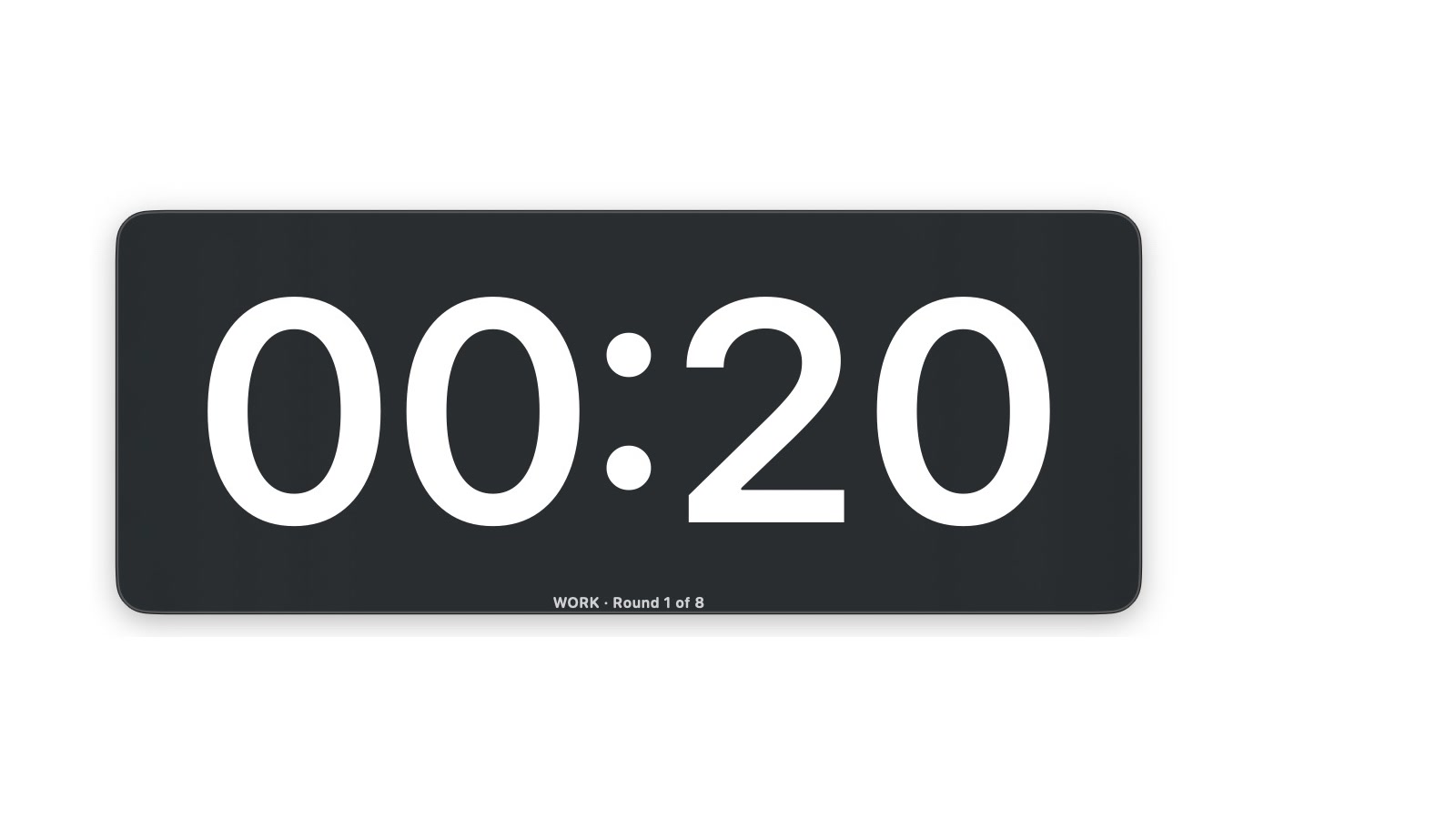
- Type “tabata” and press Return. The first 20 second work interval starts, labeled “WORK · Round 1 of 8”.
- Follow the display: work, rest, next round. The label always shows which round you are on.
- Different intervals? Type “tabata setup” and a guided setup walks you through work, rest, and round counts.
Hear it and see it
Mid-burpee is no time to squint at a screen. Turn on the flash so the whole timer signals the change, and pick an alarm sound that cuts through. Make the timer large enough to read from across the room, or take it full screen.
Set the Mac on a bench or a shelf before round one. At 20 seconds a round, there is no time to walk over and check.
Rest between rounds, automatically
The timer moves from work to rest and back on its own. No taps between intervals, no reaching for the keyboard with chalk on your hands. If the music swallows the alarm, the flash still shows the change from across the room.
Need to stop mid-set? Click the timer to pause the cycle while you swap equipment, and click again to resume. The round you were on holds until you are back.
One timer for the whole session
Warm up with a plain countdown, run your Tabata rounds, then type a stretch timer at the end. Type “30 sec” between exercises when you need a quick transition without leaving the app. The same timer covers the whole workout.
Warming up? Run a plain countdown in the free web timer. Tabata mode and the round counter come with the Mac app.
Set it once, press start, and train.